4K guide
4K IPTV football: what a match night needs, from the UHD feed to the kick-off checks
4K IPTV football is at its best when three things meet on the same evening: a match produced in UHD, a line that holds steady through the busiest hours of the week, and a screen set to show 50 frames per second without a hitch. This guide takes them in the order a match night runs, from what is and is not made in 4K to the settings for smooth motion, the delay to expect, two screens on one plan, the sound, and the checks worth doing in the half hour before kick-off.
Which matches are produced in 4K
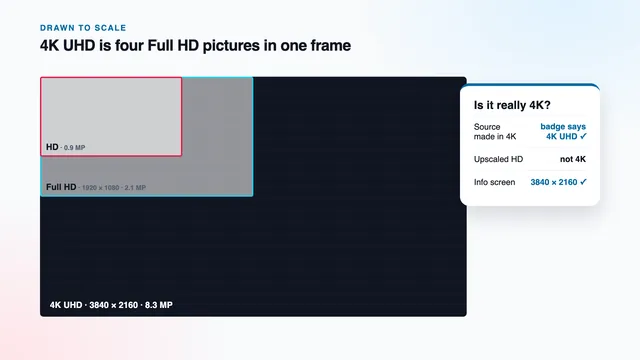
A 4K match starts long before it reaches your lounge. For 4K IPTV football to exist at all, the producer needs UHD cameras around the ground, a production truck able to mix 3840 × 2160 pictures, and far more capacity to send them on. That costs money on every fixture, so UHD tends to be saved for some of the big matches of the week. The rest are produced in HD or Full HD, and no setting at home can add detail that was never filmed.
In practice, that leaves two kinds of match night:
- A UHD production. The 4K version usually runs as a feed of its own, often in a group or under a channel name marked 4K or UHD, alongside the HD version of the same match. It exists only while that match is on.
- An HD or Full HD production. There is no 4K version to look for. The match plays at the resolution it was made in, and a TV that stretches it across a 4K panel adds no real detail.
We never put a number on 4K matches or channels: it moves with what producers choose each week. The guide and the group names tell you where to look; the info screen tells you what arrived.
What a UHD match feed usually carries
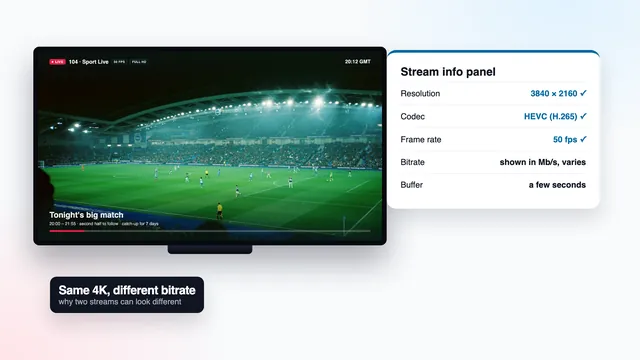
A typical UHD football feed is 2160p at 50 frames per second, compressed with HEVC, sometimes with HDR. Live HDR is commonly sent as HLG (hybrid log-gamma), which most recent 4K TVs can display. The TV switches into it by itself when the signal carries it, and its info banner then shows an HDR or HLG badge.
Why a good Full HD feed still looks right
Football is about movement more than texture. A Full HD feed at 50 frames per second, steady and well encoded, follows the ball cleanly from one wing to the other, while a 4K feed that stalls every few minutes spoils more of the evening than its extra pixels add. When the line is tight, the Full HD feed is the better seat in the house.
4K IPTV football at 50 fps: frame rate and matching
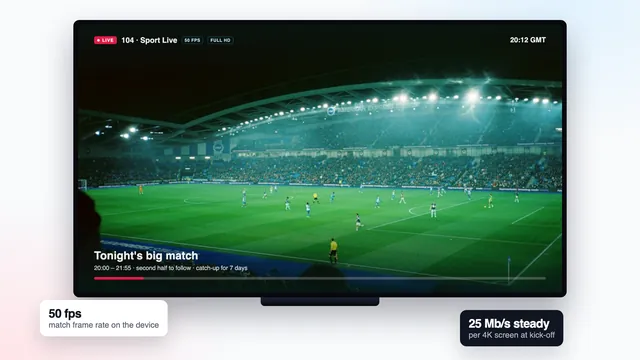
British television runs on a 50 Hz rhythm, and live football, where the source allows it, is filmed and sent at 50 frames per second. Many sticks and boxes, though, send 60 Hz to the TV unless told otherwise. Fitting 50 frames into 60 refresh slots means showing one frame in every five twice: a small, regular hitch that hides on a studio shot and becomes hard to ignore on a long pan following a cross-field pass.
Frame-rate matching cures it. The device switches its output to 50 Hz when the stream runs at 50 fps, then back again afterwards. A blank second on screen during the change is the switch itself, not a fault.
| Device or app | Where to look | What to choose |
|---|---|---|
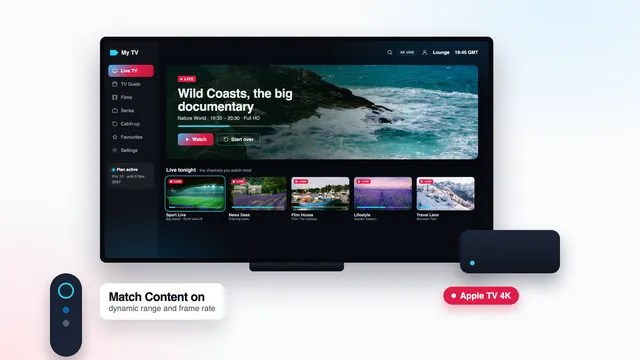
| Apple TV 4K | Settings › Video and Audio › Match Content | « Match Frame Rate » on, « Match Dynamic Range » on |
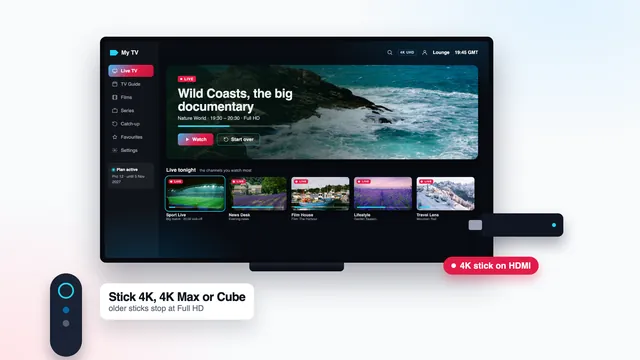
| Fire TV Stick 4K, 4K Max, Fire TV Cube | Display settings (names vary with the software version) | The option to match the original frame rate, where offered |
| Android TV and Google TV boxes | Display settings, or the player’s own playback settings | Auto frame rate or refresh-rate switching, where offered |
| The player app | Playback or video settings | Hardware decoding on; auto frame rate on if the app has it |
| The TV | Picture settings | Motion smoothing low or off; a standard or filmmaker picture mode rather than a vivid one |
Motion smoothing and the ball
TVs can invent in-between frames to make motion look more fluid. On football this sometimes works, but it can also leave a faint smear or halo around the ball and the players' boots, and it adds a little delay of its own. Watch one half with it on the lowest setting and the other with it off, and keep whichever looks cleaner to you.
Device by device, the Apple TV 4K guide and the guide to 4K on a Fire TV stick walk through these menus alongside the other display settings.
The delay behind the broadcast
A live picture sent over the internet runs late. The source is encoded, cut into short segments, carried across the network and held for a moment in the player’s buffer before it is shown, and every stage costs time. Expect anything from a few seconds to around 30 seconds behind the broadcast; the gap differs from channel to channel and can shift when you restart one.
None of this is buffering: the match plays smoothly, only later. You notice it when something outside the TV reaches you first:
- a cheer through the wall from a neighbour watching another way;
- a score alert from a phone app, or a message in a group chat;
- a second screen in the house sitting a few seconds ahead of the first, or behind it.
Muting score alerts and group chats for the ninety minutes is the simplest fix. Shrinking the player’s buffer to win back a few seconds is a poor trade at peak time: the smaller the reserve, the sooner a brief dip on the line turns into a pause.
Kick-off at the busiest hour: broadband for a 4K match
Most evening matches kick off inside the UK peak, roughly 19:00 to 23:00, when the whole street is streaming, with Saturdays, Sundays and the biggest match nights at the top. That is exactly when 4K IPTV football asks the most of your line. On our side, several servers share the load. On yours, what matters is how much speed actually arrives at the TV and stays there, not the headline number on the broadband package.
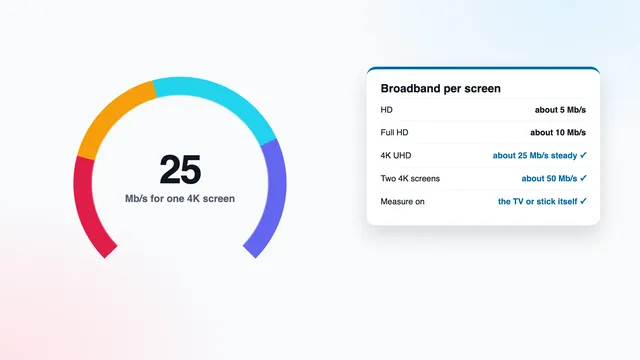
Allow roughly 25 Mb/s, held steady, for each 4K screen; Full HD wants about 10 Mb/s and HD about 5. Measure on the stick, box or TV itself with a speed-check app, ideally at the same time of evening as the match.
- Use a cable if you can. Ethernet is the steadiest link; 5 GHz Wi-Fi copes when the TV is in the same room as the router or the next one.
- Bridge the distance with powerline adapters or a mesh point when the TV sits far from the router.
- Clear the line before kick-off. Console and computer updates, cloud photo backups and large downloads can all wait until the final whistle.
- Keep the Full HD feed in reserve. If the 4K feed pauses on a busy night, moving to the Full HD version of the same match costs some detail and keeps the motion at 50 fps.
The 4K bandwidth guide explains how to measure on the TV itself and what to change when the number falls short.
Two screens on a match night with Pro 12 Duo
Pro 3, Pro 12 and Pro 24 play one stream at a time. Pro 12 Duo plays two at once in the same household, for £79 over 12 months: one match in the lounge and another in the kitchen, or the same match in two rooms. Both streams draw on the same broadband, so add them together:
| Two streams at once | Steady speed to plan for | When it happens |
|---|---|---|
| 4K + 4K | about 50 Mb/s | Both matches are UHD productions |
| 4K + Full HD | about 35 Mb/s | The usual mix when only one match is in 4K |
| 4K + HD | about 30 Mb/s | A tablet or small TV on the second stream |
| Full HD + Full HD | about 20 Mb/s | Most match nights |
The screen furthest from the router is usually the weak one. Give the 4K stream to the device on a cable and the Full HD feed to the one on Wi-Fi. Expect the two screens to drift a few seconds apart, for the reasons described in the delay section.
Match sound: stereo, surround and Dolby Atmos
Sound comes from the source just as the picture does. Many match feeds carry stereo, some UHD productions carry surround, and Dolby Atmos is there only when the source offers it and your player, TV and speakers support it. A soundbar’s virtual surround mode can spread a stereo feed around the room, but that is processing at your end, not Atmos from the source.
- Audio passthrough (sometimes called bitstream) on in the player or the device, so a Dolby signal reaches the soundbar untouched.
- HDMI eARC or ARC: connect the soundbar to the TV’s eARC port where there is one, as eARC carries the fuller formats.
- The TV’s digital audio output set to auto or passthrough rather than stereo or PCM.
- AV sync, or lip-sync delay, on the soundbar if the commentary drifts away from the picture.
Some feeds carry more than one audio track, for instance a second commentary language or crowd sound alone. The player’s audio menu, usually reached during playback, switches between them.
Checks for the half hour before kick-off
A match night leaves no time for troubleshooting once the whistle has gone. Thirty minutes is enough to check every link of the chain behind 4K IPTV football, in this order:
- 30 minutes before: restart the stick or box to clear its memory, plug in the cable if you use one, and pause any big downloads in the house.
- 25 minutes: open the guide and find the match. Listings are in UK time; if all the start times are an hour adrift, change the EPG time offset in the player.
- 20 minutes: look through the sport groups for a 4K or UHD feed of the match. If there is none, it was not produced in 4K, so pick the Full HD feed.
- 15 minutes: start the feed and open the player’s info screen: 3840 × 2160, HEVC and 50 fps for a UHD production. Press the TV’s info button as well: 2160p, plus an HDR or HLG badge when the feed has HDR.
- 10 minutes: run a speed check on the same device. Below about 25 Mb/s steady, the Full HD feed will serve you better tonight.
- 5 minutes: check the sound: the format light on the soundbar, the commentary track and the lip sync.
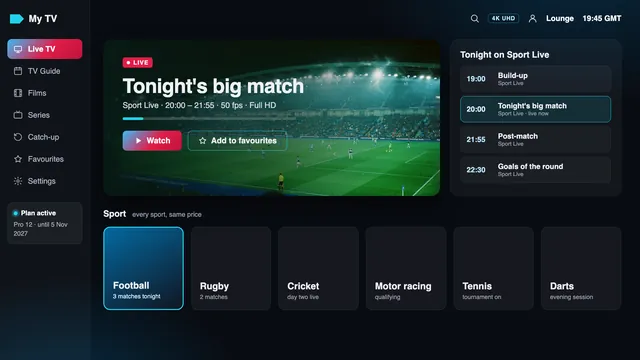
On a first evening with a new device, the 4K IPTV setup guide covers the login, the guide and the display settings before you reach this list.
Missed the match? Catch-up and the guide
Where a channel provides catch-up, you can usually go back as far as seven days, so a match that clashed with a family dinner can wait until the weekend. Open the channel in the guide, step back to the slot and the replay starts from the beginning. It follows the same rule as the live feed: a replay can only be 4K if the channel was carrying a 4K picture at the time.
Keep score alerts muted until you have watched it, for the same reason as on a live night.
Catch-up and the full seven-day guide come with the Xtream login. The guide to the M3U playlist and its 4K group explains what changes when a player works from the list instead.
Which plan fits a football season
A season fills most of the year, so 4K IPTV football is easiest on a plan that outlasts it. All four plans share one channel list, one library and one picture standard, 4K wherever the source is 4K; they differ only in months and screens.
- Pro 12: 12 months for £49, so £4.08 a month, which is roughly 13p for each day. One payment covers a whole season with weeks to spare, and it is the plan we suggest.
- Pro 24: 24 months for £89, £3.71 a month, the lowest monthly price, two seasons in one payment.
- Pro 12 Duo: 12 months on two screens at once for £79.
- Pro 3: 3 months for £29, long enough to see how 4K matches look on your own TV and line.
You pay for each plan once (debit or credit card or PayPal) and it stops on the end date written in the login message, with no renewal. Compare them in the plans section of the home page or in the side-by-side plan comparison. The 4K IPTV home page sets out the whole chain a 4K picture depends on, and if you are unsure whether your line or TV will cope, ask the team before you order: questions are welcome, 24/7, in English.
The 7-day refund applies in two cases: the login never reached you, or no screen showed a picture even after the team stepped in. A connection too slow for 4K, when the speeds were set out beforehand, is not one of them, so measure yours first.
Frequently asked questions
Is every match in 4K?
No. Only some big fixtures are produced in UHD; most matches are filmed in HD or Full HD, so that is the resolution you get. When a 4K version exists, it usually appears as its own feed marked 4K or UHD.
Why does the picture judder when the camera follows the ball?
Usually the device is sending 60 Hz while the match runs at 50 frames per second, so one frame in five is shown twice. Turn on frame-rate matching on the device or in the player. On Apple TV it is « Match Frame Rate » under Match Content.
Why do I hear the neighbours cheer before I see the goal?
Streams over the internet run behind the broadcast, from a few seconds to roughly 30. The picture is not buffering, only later. Mute score alerts on your phone so they cannot spoil the moment.
What speed do I need for two matches in 4K at once?
About 50 Mb/s steady across the two screens, and Pro 12 Duo for two streams at the same time. If one match is in Full HD, about 35 Mb/s is enough.
Will football come with Dolby Atmos?
Only if the source carries it, and then only with a player, TV and soundbar that can handle it. Many match feeds carry stereo or surround instead. Turn on audio passthrough so a Dolby signal reaches the soundbar unchanged.
What should I do if the 4K feed pauses during a match?
Switch to the Full HD feed of the same match, which needs far less bandwidth and stays at 50 fps. If pauses carry on with a good line, send the team the time, the device and your speed result.
Can I watch a match I missed?
Yes, on channels that offer catch-up, usually up to seven days back. Open the channel in the guide and step back to the match. In most players, catch-up comes with the Xtream login.