4K guide
4K IPTV Apple TV guide: the right box, the apps and Match Content
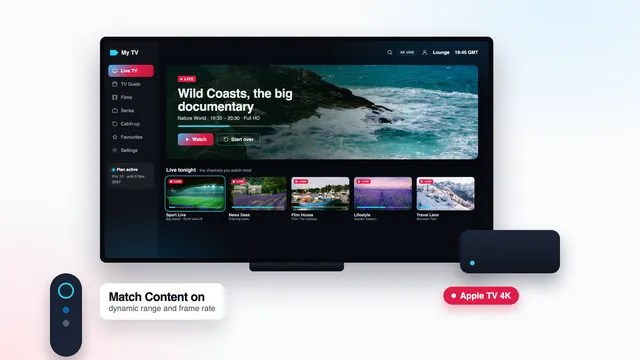
A 4K IPTV Apple TV setup depends less on the app than on the box and two settings. The box has to be an Apple TV 4K, and tvOS has to follow each programme’s format instead of forcing one on everything. Get both right and you see 2160p wherever the channel or title was produced in 4K, with HDR on the titles that carry it.
Apple TV 4K or Apple TV HD: which box is under your TV
The two boxes share a shape, a remote and the same apps. The picture is what separates them: the Apple TV HD decodes and sends 1080p at most, with no HDR, while every Apple TV 4K has a hardware HEVC (H.265) decoder, outputs 3840 × 2160 and reads HDR.
| Model | Model number (underside) | Top output | HDR formats | Ethernet socket |
|---|---|---|---|---|
| Apple TV HD | A1625 | 1080p | None | Yes |
| Apple TV 4K, 1st generation (2017) | A1842 | 2160p | Dolby Vision, HDR10 | Yes, gigabit |
| Apple TV 4K, 2nd generation (2021) | A2169 | 2160p | Dolby Vision, HDR10 | Yes, gigabit |
| Apple TV 4K, 3rd generation, Wi-Fi | A2737 | 2160p | Dolby Vision, HDR10, HDR10+ | No |
| Apple TV 4K, 3rd generation, Wi-Fi + Ethernet | A2843 | 2160p | Dolby Vision, HDR10, HDR10+ | Yes, gigabit |
If the box is already connected, Settings › General › About gives the model name; if it is still in a drawer, the model number is printed underneath. The small black Apple TVs sold before tvOS had an App Store cannot add a player at all.
Which Apple TV 4K to choose
For a 4K IPTV Apple TV, any generation of the 4K model is enough: the stream is the same, and each one decodes it in hardware. The current model adds HDR10+ and a faster chip, and comes in two versions. Pick the Wi-Fi + Ethernet one if a network cable can reach the TV, because the Wi-Fi-only version has no socket for it.
What a 4K IPTV Apple TV picture depends on
The Apple TV 4K covers its own link well: HEVC decoding, HDR and frame-rate switching are all built in. The rest of the chain sits on either side of the box, and any link can pull the picture down to Full HD.
- The source. HD, Full HD, or 4K UHD on channels and titles made in 4K. The bulk of what is broadcast is HD or Full HD, and no box can add detail that was never filmed.
- Broadband. Roughly 25 Mb/s per 4K screen, without dips through the evening, measured on the Apple TV itself.
- The HDMI cable and socket. A cable rated for 4K with HDR, into a TV socket on HDMI 2.0 or newer.
- The television. A 4K panel and, for HDR, support for the format the title was mastered in.
Our side of that chain does not change from plan to plan: HD, Full HD and 4K UHD on what was produced in 4K, plus HDR and Dolby Atmos wherever a source carries them, as long as the player and the TV can play them too. The home page explains how 4K IPTV Premium handles picture quality, including what is and is not made in 4K.
Players from the App Store, and the login
An Apple TV only takes apps from Apple’s own store. Side-loading does not exist on tvOS and there is no Downloader, so the choice is short and safe. When this guide was written, two players opened your login on Apple TV.
IPTV Smarters Pro
Search for Smarters Pro and make sure the developer line reads Tech Smarters Private Limited, because apps with similar names and icons turn up in the same results. Smarters costs nothing to install; an optional Premium upgrade is bought in the app, priced by each store. It ships empty, with no channels of its own: it opens the Xtream login from your message and lays out the channel groups, the film and series library, catch-up and the seven-day guide.
VLC
VLC costs nothing and plays the M3U link from your message as a network stream. Playback is solid, but VLC lacks a TV guide and catch-up, so it suits a second room better than the main TV.
Entering the login
In Smarters, choose the Xtream Codes option, name the profile, then copy your username, password and server address exactly as the message gives them, with http:// and the port, shaped like http://your-server:port. The same message also carries the M3U link, the programme-guide address and your plan’s end date.
Typing with the Siri Remote is slow going, and your iPhone can stand in for it: with a text box active on the TV, a prompt pops up on any iPhone using the same Apple Account and the same Wi-Fi, and you type there. Once you are in, the guide loads in UK time; if programmes appear an hour early or late, change the player’s EPG time offset.
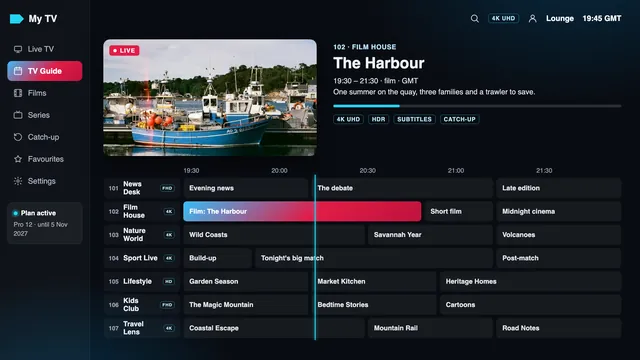
The comparison of 4K player apps looks at both players more closely, and the setup guide for every 4K IPTV screen covers phones, tablets and televisions.
Format and Match Content: the settings that matter
Two screens in Settings › Video and Audio decide whether the box shows each programme as it was made: Format, and the Match Content page one level down.
| Setting | Set it to | What you see on screen |
|---|---|---|
| Format | 4K SDR, at 50 Hz where offered | The base output: 3840 × 2160 in standard dynamic range |
| Match Dynamic Range | On | HDR10, HDR10+ or Dolby Vision starts only on titles produced in it, if the TV reads that format |
| Match Frame Rate | On | The output follows the stream: 50 for UK live TV and sport, 25 for much drama, 24 for many films |
Format: start from 4K SDR
Format sets the output the box falls back on. Choose 4K SDR, in its 50 Hz version if your list shows one. With Match Content switched on, the box leaves that base whenever a programme calls for something else.
4K HDR or 4K Dolby Vision as the base looks like the richer choice, and usually is not. The box then wraps every SDR picture, which means most channels, inside an HDR signal: faces lose their warmth, blacks lift and the TV runs its HDR mode all evening. Starting from SDR keeps ordinary channels natural and saves HDR for titles produced in it.
After a change the screen can stay dark for a second or two while the TV locks on. tvOS asks you to confirm the new format and goes back to the old one if you don’t, so a choice the TV cannot handle will not leave you stuck.
Match Frame Rate on UK channels
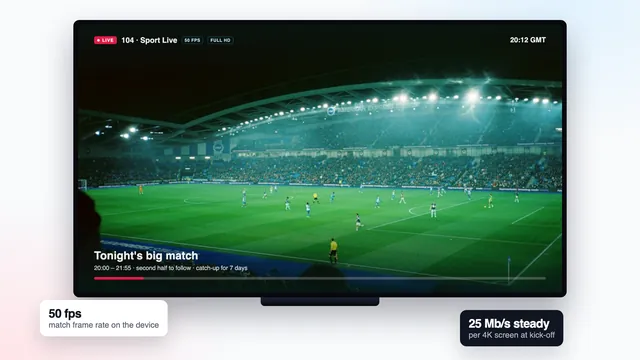
Programmes produced for UK screens run at 25 or 50 frames a second, while an Apple TV left at 60 Hz has to fit them into a rhythm that does not divide evenly. The result is a small hitch every so often, easiest to spot when the camera tracks a ball or the credits roll. Match Frame Rate moves the output to 50 Hz for those programmes. It needs the player to report the stream’s rate to tvOS; with a player that does not, a 50 Hz Format still suits live channels.
Match Dynamic Range and your TV’s formats
The box can only switch to an HDR format your TV accepts, and it asks the TV which ones those are. Samsung sets handle HDR10 and HDR10+ without Dolby Vision, as the Samsung TV 4K guide explains, while Dolby Vision is supported on LG’s OLED and QNED ranges. Leave the switch on and the Apple TV picks a format the TV can show for each title.
The HDMI cable and the TV socket
An Apple TV comes without an HDMI cable. For 4K with HDR, use one labelled Premium High Speed (18 Gb/s) or Ultra High Speed (48 Gb/s). An older cable taken from a DVD player or a set-top box may carry 1080p happily and fail at 4K, with sparkles, blank seconds or a format that refuses to hold.
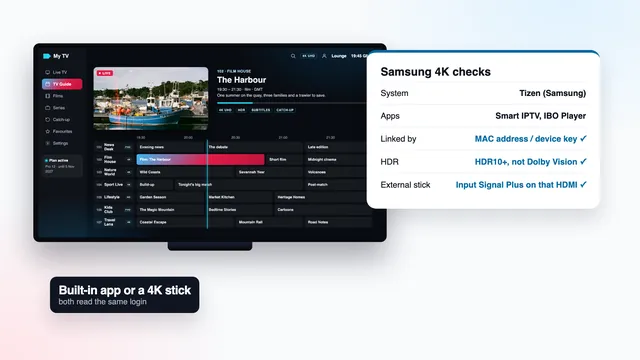
On the TV side, pick a socket that takes 4K at 50 or 60 Hz with HDR, and switch on the TV’s enhanced signal mode for it. Samsung calls it Input Signal Plus; other brands give the same switch their own name, usually in the input or external-device settings.
If the Format list shows no 4K HDR entries at all, the TV is telling the box that this socket cannot take HDR. Change socket or turn on the enhanced mode, then open the list again.
Going through a soundbar or an AV receiver? It has to pass 4K and HDR through untouched. If in doubt, plug the Apple TV straight into the TV and send the sound back to the soundbar through the TV’s ARC or eARC socket.
Ethernet or Wi-Fi on the Apple TV 4K
Only one Apple TV 4K lacks a gigabit Ethernet socket: the Wi-Fi version of the third generation. On every other model, a cable to the router is the surest way to keep 25 Mb/s or so flowing through the 19:00–23:00 rush, which peaks on weekend nights.
On Wi-Fi, keep the box on the 5 GHz band and close to the router, ideally in the same room. When the router is two rooms away or more, a powerline pair or an extra mesh unit by the TV usually does more than moving the box a few inches.
tvOS has no web browser, so use a speed-measuring app from the App Store, run on the Apple TV itself at the time you usually watch; a phone held next to it gives only a rough idea. For two 4K screens at once on Pro 12 Duo, count about 50 Mb/s together. The 4K bandwidth guide explains the margin worth keeping.
Checking what you are actually watching
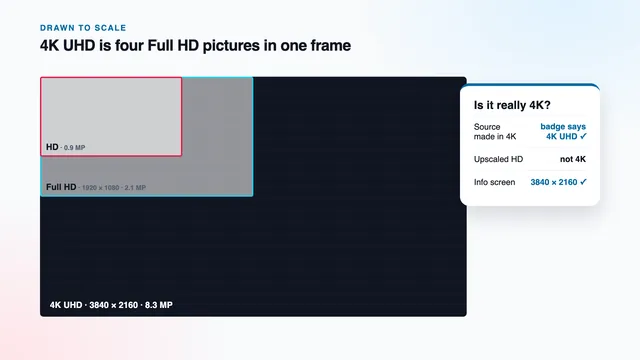
With Format on 4K SDR, the Apple TV sends 3840 × 2160 at all times and scales anything smaller up to fit. Your TV’s info banner therefore reads 2160p on an HD channel too. That line proves the box, the cable and the socket carry 4K; it tells you nothing about the source.
For the source of a 4K IPTV Apple TV picture, look at these instead:
- the 4K or UHD tag next to the channel or title in the player;
- the player’s stream information, where it offers one: 3840 × 2160 for a 4K source, along with the codec and frame rate;
- the TV’s HDR or Dolby Vision badge, which appears only when Match Dynamic Range has switched for a title produced in HDR;
- the refresh rate on the TV’s banner: 50 Hz on a UK sports channel shows Match Frame Rate is at work.
Why a scaled-up picture is not 4K, and how to tell the two apart on screen, is the subject of the guide to IPTV 4K Ultra HD. The guide to 4K bitrate explains why two 4K streams can still look different.
Plans and help for Apple TV homes
The access is identical whichever plan you pick: one channel list, one library, one standard of picture. What the plan decides is how long it runs and how many screens play together. Pro 3, Pro 12 and Pro 24 each run one stream at a time, on any device in the house; Pro 12 Duo runs two, so the Apple TV and an iPad can play side by side.
Prices, paid once: Pro 12 is £49 for 12 months (our suggestion, £4.08 per month); Pro 24 is £89 for 24 months, which brings the month down to £3.71; Pro 3 is £29 for 3 months; Pro 12 Duo, with its two screens, comes to £79 for 12 months. The login message turns up around 2 minutes after your payment clears and states the day the plan ends. Nothing renews by itself.
Line up the four 4K plans side by side or read the plans page for end dates and screens. If the Apple TV does not behave as described here, write to the team, who reply 24/7 in English. A refund can be claimed within 7 days of paying when no login reached you, or when no screen showed a picture even with their help.
Frequently asked questions
Does Apple TV HD play 4K IPTV?
No. It sends 1080p at most, so a channel produced in 4K reaches the TV as Full HD. The same login still plays every channel well in HD and Full HD on it.
Should the Apple TV be set to 4K HDR or 4K SDR?
4K SDR, with Match Dynamic Range turned on. The box then switches to HDR only for titles that carry it, and the many SDR channels keep their natural colours.
Which apps can open my login on Apple TV?
Only App Store apps can be installed. IPTV Smarters Pro and VLC both opened it when this guide was written: Smarters brings the guide and catch-up, VLC plays the M3U link. Look-alike apps exist, so check the developer name first.
Why does the picture blink to black when I switch channels?
Match Content has asked the TV to change frame rate or dynamic range, and the TV takes a moment to follow. It is normal, and the pause varies from one TV to another. With a 50 Hz Format, most UK channels need no switch.
Does a 4K IPTV Apple TV picture look better over Ethernet?
The picture is the same; what changes is how steadily it arrives. A cable holds about 25 Mb/s through the evening peak more reliably than Wi-Fi, so 4K channels pause less. The Wi-Fi-only Apple TV 4K has no socket, so keep it on 5 GHz near the router.
Can I use the same login on my iPhone and the Apple TV?
Yes, the login works in any compatible player. Pro 3, Pro 12 and Pro 24 allow a single stream at once, while Pro 12 Duo allows two, within one household.