4K guide
IPTV 4K Ultra HD: what is really made in 4K, and how to check it
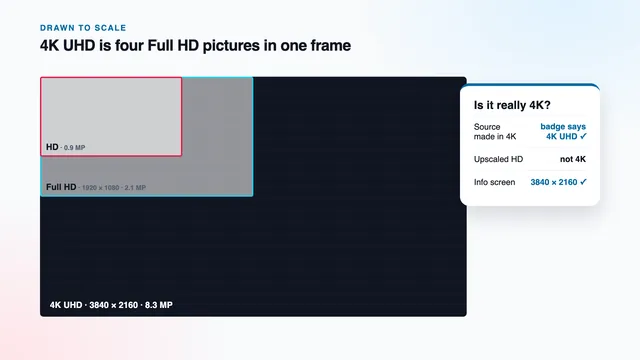
IPTV 4K Ultra HD means a stream whose picture holds 3840 × 2160 pixels from the camera all the way to your screen, and whether you get it depends on every link in between. This guide sets out which kinds of programme are produced that way, why an enlarged HD picture does not count, how far from the screen the difference shows, and where to read the true resolution of whatever is playing.
What Ultra HD measures: 3840 × 2160 pixels
From Full HD to UHD, both the width and the height double, so the pixel total grows fourfold.
| Format | Pixels (across × down) | Total pixels | Against Full HD |
|---|---|---|---|
| SD (UK standard definition) | 720 × 576 | 0.4 million | about one fifth |
| HD (720p) | 1280 × 720 | 0.9 million | a little under half |
| Full HD (1080i or 1080p) | 1920 × 1080 | 2.1 million | the reference |
| 4K Ultra HD (2160p) | 3840 × 2160 | 8.3 million | four times |
On a 55-inch television, one UHD pixel is roughly a third of a millimetre wide, against about two thirds of a millimetre for a Full HD pixel. That physical size decides, further down this guide, how far from the screen the extra detail stays visible.
4K, UHD and 2160p: three names for one TV format
Cinema projectors use a slightly wider 4K frame of 4096 × 2160. Televisions, sticks and streams use the consumer version, 3840 × 2160, which keeps the 16:9 shape of a TV panel. Tags such as UHD, Ultra HD, 4K UHD and 2160p all describe that frame.
A film in a wide cinema ratio leaves black bars above and below, so the player may report 3840 × 2160 with the bars included, or a shorter figure such as 3840 × 1600. Both are UHD across the width.
IPTV 4K Ultra HD starts at the camera, not at the television
A 4K picture travels through a series of links, and every one of them has to carry the full 3840 × 2160. The weakest link sets what reaches your eyes. In order, from the production to the sofa:
- Production. Cameras, editing and the finished master all work at 2160 lines. Detail lost at any of these stages never comes back later.
- Encoding. The master is compressed for delivery, normally with HEVC (H.265). Starve it of data here and fine texture turns into soft patches.
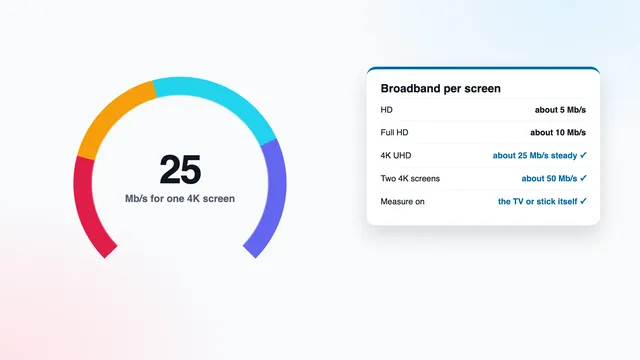
- Delivery. Roughly 25 Mb/s has to reach the playing device, without dips, for each screen showing 4K.
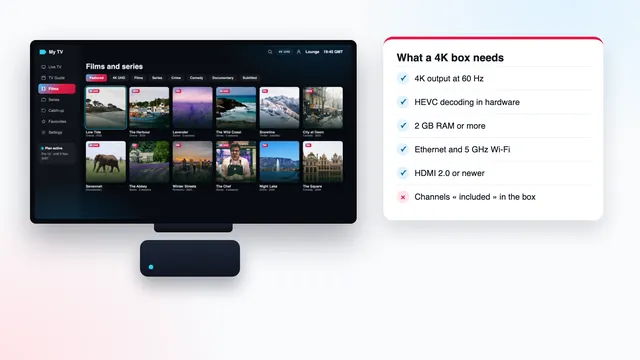
- Decoding. The stick, box, TV app or Apple TV must decode HEVC at 2160p on a dedicated chip, not in software.
- Output. HDMI version 2.0 or later, on the port and on the cable, carries 4K at 50 or 60 frames a second; HDMI 1.4 tops out at 30.
- Panel. The television needs a 3840 × 2160 screen. Most 32-inch sets, and plenty of older larger ones, are HD or Full HD panels.
Break the chain anywhere and the screen may still announce 4K, because each step after the break simply enlarges whatever it receives. That is why the 4K IPTV Picture card on our home page sets the conditions beside the price, and why this site writes ‘up to 4K UHD where the source was made in 4K’ instead of promising it on every line. The first link belongs to whoever produced the programme. The rest you can check at home.
Which programmes are produced in UHD, and which stay in HD
No channel list of any size is mostly 4K, and ours is no exception: most of the 40,000+ live channels reach you in HD or Full HD, because that is how their programmes are made. UHD costs more at every stage, so producers keep it for programmes where the extra detail repays the cost, and the pattern is much the same in every country.
Usually produced in 4K
- The biggest live sport: the headline football matches of the week and top events in rugby, cricket, tennis, golf and motor racing, shot with UHD cameras and sent on separate UHD channels or feeds.
- Recent big-budget cinema releases, especially from the late 2010s onwards.
- New high-end drama and box sets made for international sale.
- Natural history and travel documentaries, among the first programmes ever made in UHD.
- Some concerts and large live events.
Usually HD or Full HD
- News and current affairs, where speed of production matters more than pixels.
- The live feeds of most entertainment, lifestyle and quiz channels.
- Children’s, regional and music channels.
- Smaller sporting events, studio discussion and magazine programmes.
- Older series: anything recorded on standard-definition video can be enlarged, never restored to 4K.
The grey zone: rescans and 2K masters
Two cases blur the labels. Older films shot on 35 mm film can be scanned again at 4K, and because the negative holds real detail, the result can be genuine UHD. On the other hand, many films of the 2000s and 2010s were finished on a 2K master of about 2048 × 1080, and their 4K versions are enlarged from it. They often still look superb, mostly thanks to HDR and a careful encode, but their fine detail sits closer to Full HD than the badge suggests.
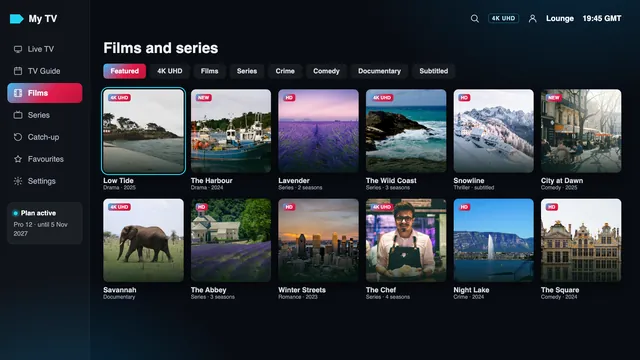
In the player, 4K versions usually sit in their own groups or carry a 4K or UHD tag in the channel name, often next to an HD or FHD line of the same channel. The guide to the 4K IPTV playlist and its groups shows where they appear in the M3U list, and the 4K football guide covers which kinds of fixture tend to be produced in UHD and at 50 frames a second.
Why an upscaled picture is not 4K
A 4K panel always lights 3840 × 2160 dots, whatever signal it is given. When the signal is smaller, something has to invent the missing pixels: the player, the stick or, most often, the television’s own processor. That is upscaling. A scaler works out each new pixel from its neighbours. The good ones also firm up edges and calm noise, so a clean Full HD picture can look very good on a 4K screen. What no scaler can do is recover detail the camera never recorded: single blades of grass, the weave of a shirt, lettering on a distant hoarding. Those either exist in the source’s 8.3 million pixels or they do not.
From standard definition the gap is wider still: a 720 × 576 picture is stretched roughly twentyfold in pixel count to fill a UHD panel, and looks soft however clever the processing.
The trap is the label. An IPTV 4K Ultra HD tag on a channel can be accurate about the stream, which really is sent at 3840 × 2160, while the programme inside was made in HD and enlarged before it was encoded. The resolution figure then reads 2160 but the detail is Full HD. The checks two sections below help you separate the two.
Screen size, sofa distance and when 4K shows
Your eye has a limit too. With normal 6/6 eyesight you can tell apart two points about one minute of arc apart, a sixtieth of a degree. Beyond a certain distance, Full HD pixels are already smaller than that limit, so the extra pixels of 4K have nothing left to add. Closer than that distance, 4K starts to show; at about half of it, you see all of it.
| Screen (diagonal) | 4K starts to show closer than | All of the 4K detail from about |
|---|---|---|
| 43 inches | 1.7 m | 0.85 m |
| 50 inches | 2.0 m | 1.0 m |
| 55 inches | 2.2 m | 1.1 m |
| 65 inches | 2.6 m | 1.3 m |
| 75 inches | 3.0 m | 1.5 m |
A handy rule: 4K detail becomes visible once you sit closer than about one and a half times the screen’s diagonal. From three metres, a 55-inch set shows little difference between a well-made Full HD stream and a UHD one. From the same sofa, a 75-inch screen shows it plainly.
That does not make 4K pointless from further back. UHD programmes usually bring HDR, a wider range of colour, 10-bit shading and a newer encode, and those show from any seat, even where the extra sharpness does not.
How to tell real UHD from upscaled HD
Three readings settle it, listed from the most reliable to the least.
1. The player’s info screen
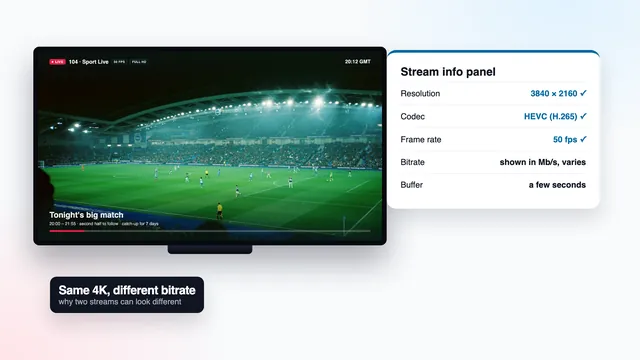
This is the IPTV 4K Ultra HD check that counts, because the player reads the figure from the stream itself, before anything is enlarged. While a programme plays, open the stream information panel: depending on the app it sits behind an ‘i’ icon, a long press on OK or an entry in the playback menu. The resolution line reads 3840 × 2160 (or 3840 by something shorter for a wide film) for UHD, 1920 × 1080 for Full HD and 1280 × 720 for HD. In VLC on a computer, the same figures appear under Tools › Codec Information on Windows, or Window › Media Information on a Mac.
The panel also lists the codec, frame rate and bitrate, which explain why two genuine UHD streams can still differ; the guide to 4K bitrate, codecs and frame rate reads each of those fields.
2. The television’s info banner
Press the info button on the TV remote while the stick or box is playing. The banner shows what arrives over HDMI, for example 3840 × 2160 at 50 Hz, sometimes with an HDR badge. It confirms the last links of the chain, the port, the cable and the output setting, but it cannot see the source: with the stick set to 2160p output, the banner says 4K on a Full HD channel too.
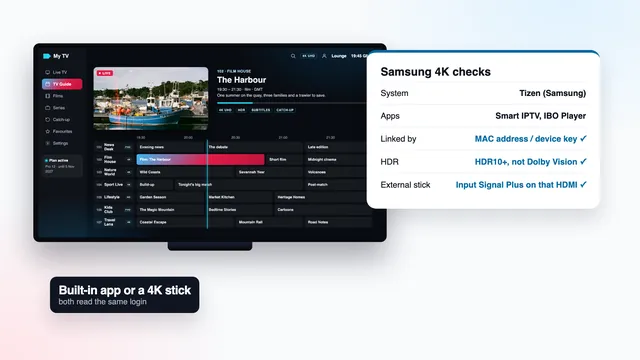
If the banner reads 1920 × 1080 while the player reports 3840 × 2160, the stick is set to Full HD output, or the port or cable is holding it back. On many televisions only some HDMI inputs carry 4K at 50 or 60 Hz with HDR, and that input’s extended mode has to be on. Samsung names the setting Input Signal Plus; on LG sets it appears as HDMI Ultra HD Deep Colour.
3. Your own eyes, on the right kind of scene
Pause on a wide shot full of fine texture: a stadium pitch, a knitted jumper, brickwork, a crowd, small text on a distant sign. Close to the screen, true UHD still shows separate blades, stitches and letters. An enlarged HD picture turns the same areas into smooth, slightly waxy surfaces bordered by crisp but thin edges, which is the mark of sharpening.
HDR is a separate layer
Resolution counts pixels. High dynamic range (HDR) changes what each pixel can show: brighter highlights, shadows that keep their detail, and many more shades in between. The two often travel together, but not always. A programme can be UHD in standard dynamic range (SDR), and HDR exists at Full HD as well, although it is rare on live channels.
| HDR format | Where you meet it | Television support |
|---|---|---|
| HLG (Hybrid Log-Gamma) | live UHD broadcasts, sport in particular | most 4K HDR televisions |
| HDR10 | films and series; the base layer of most HDR | every HDR television |
| HDR10+ | some films and series | Samsung and several other makers |
| Dolby Vision | many films and series | LG OLED and QNED among others; not Samsung |
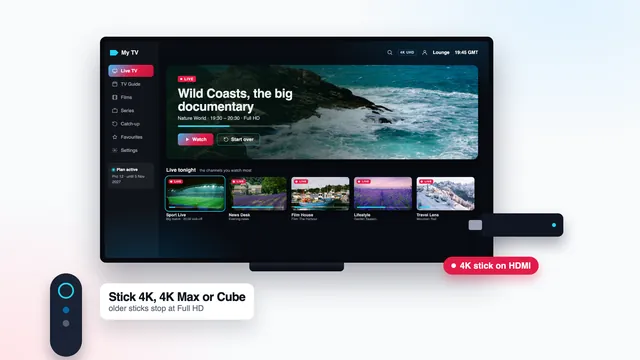
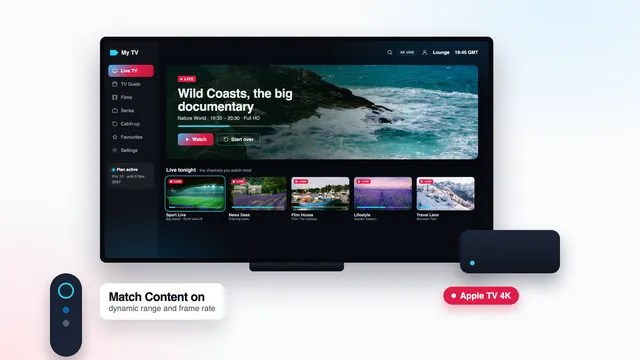
For HDR to appear, four things must agree: the source carries it, the player passes it on, the HDMI link supports it and the television can display it. Among Amazon’s devices, the Fire TV Cube and the 4K and 4K Max sticks play 4K HDR when the source has it, whereas the Lite and basic sticks top out at 1080p. On Apple TV 4K, switch on Match Dynamic Range under Settings › Video and Audio › Match Content, so that SDR channels are not pushed into HDR.
Each device has its own menus: the Apple TV 4K guide and the guide to 4K on a Samsung TV go through them screen by screen.
When HDR is working, most sets flash an HDR, HLG or Dolby Vision badge as the programme starts. A grey, flat UHD picture usually points to an HDR mismatch rather than a resolution fault.
Getting UHD onto your own screen
Every plan opens the same list at the same picture levels: 40,000+ live channels plus 120,000 on-demand films and series, each in HD, Full HD or UHD according to how its source was made. Only months and screens change: Pro 3 (3 months, £29), Pro 12 (£49 for a year, the suggested plan), Pro 12 Duo (two screens at once, £79) and Pro 24 (£89, the lowest price per month at £3.71).
Set them side by side on the 4K IPTV plans page, or jump to the order buttons. You pay a single time, with debit or credit card or PayPal accepted; nothing renews, and the login message, sent about 2 minutes after payment, gives the end date. From there, the 4K setup walkthrough takes each screen to a checked 2160p picture.
The Fire TV guide lists the sticks that output 2160p. If the info screen shows 1920 × 1080 on a programme you expected in UHD, send the channel name and a photo of that screen through our contact page: the team, available 24/7, will tell you whether the source or a setting is the cause.
Frequently asked questions
Is 4K the same thing as Ultra HD?
On televisions, yes. 4K UHD, Ultra HD and 2160p all mean 3840 × 2160 pixels. Cinema 4K is a little wider at 4096 × 2160, but TVs, sticks and streams use the 3840 version.
Is every channel in 4K?
No. Only channels and titles produced in 4K play in UHD; most live channels, here as anywhere, are HD or Full HD. We give no count of 4K lines because it depends on what is being produced at the time.
Why does my TV say 4K on every channel?
The banner reports the HDMI signal, and the stick may be enlarging every channel to 2160p before sending it. The player’s info screen reads the stream itself, so trust that figure instead.
Can a 4K television turn HD into 4K?
It can enlarge HD to fill the panel and sharpen edges, which often looks good. It cannot add detail that the camera never captured, so the result is still an HD picture on a 4K screen.
How close do I need to sit to see the difference?
As a rough guide, closer than about one and a half times the screen’s diagonal: around 2.2 metres for a 55-inch set. Further back, HDR and colour still show, but extra sharpness fades.
Does IPTV 4K Ultra HD need HDR?
No. HDR is a separate layer: a UHD programme can be in standard dynamic range. HDR appears only when the source carries it and the player, HDMI link and television all support it.